
The Full Operation System for student recruitment.
Move beyond simple contact management. World Ready natively synchronises your Agency Hierarchy, Application Pipelines, and Commission Clearing into one continuous, automated loop.
System
Three systems your competitors run separately. One here.
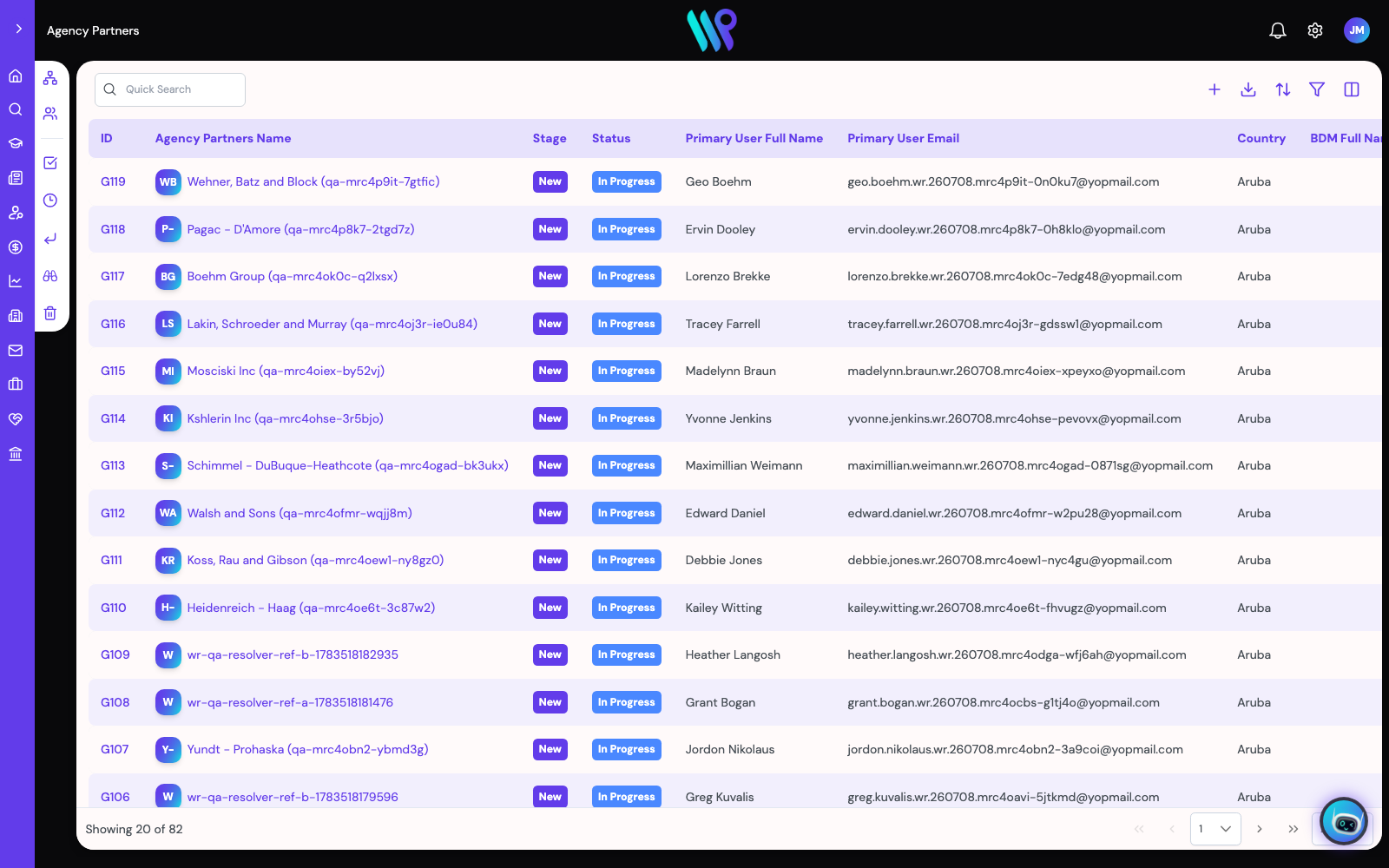
Manage the hierarchy, not just the leads.
Generic CRMs manage contacts. You manage a web of Master Partners, branches, and sub-agents. World Ready handles that architecture natively: Master Partners oversee Agency Companies, Branch Offices, and individual Counsellors with tailored access controls at every tier.
- Self-serve agency invitation with automated document verification before approval
- Bulk student upload — volume onboarding at network scale
- Commission shares, data scope, and administration follow the same hierarchy
Beat competing aggregators to the offer.
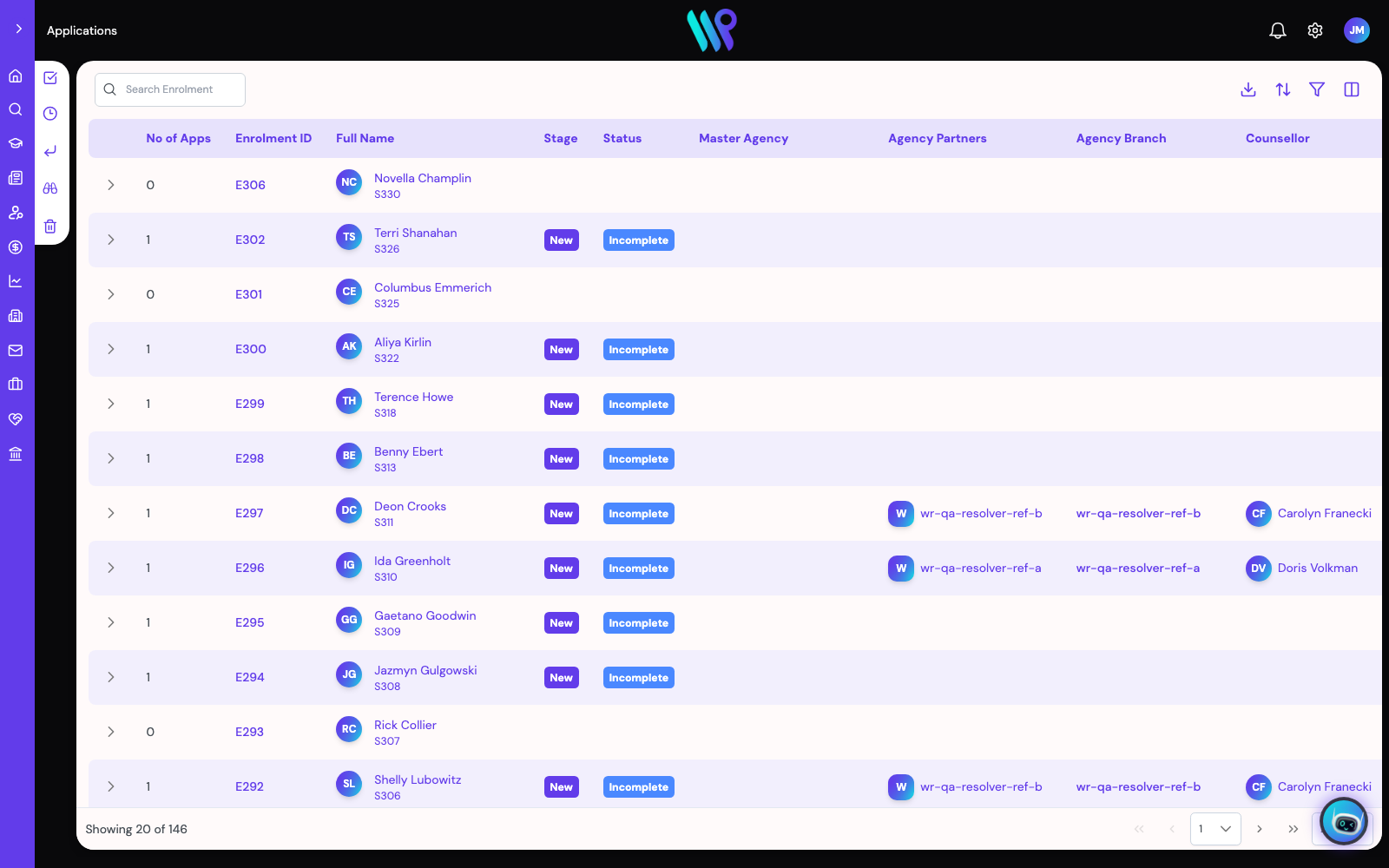
Agents submit the same student to multiple platforms — the pipeline is a race. World Ready's automated pre-assessment workflows and compliance buffers ensure your applications are pristine and lodged to the institution first. Win the race to the CoE, win the conversion.
- Staged statuses: Pre-Screening → Lodgement → GS Check → CoE Issued
- Assignment rules route each application to the right team's queue automatically
- Student, enrolment, and application created in one wizard pass
Pay your agents before your competitors do.
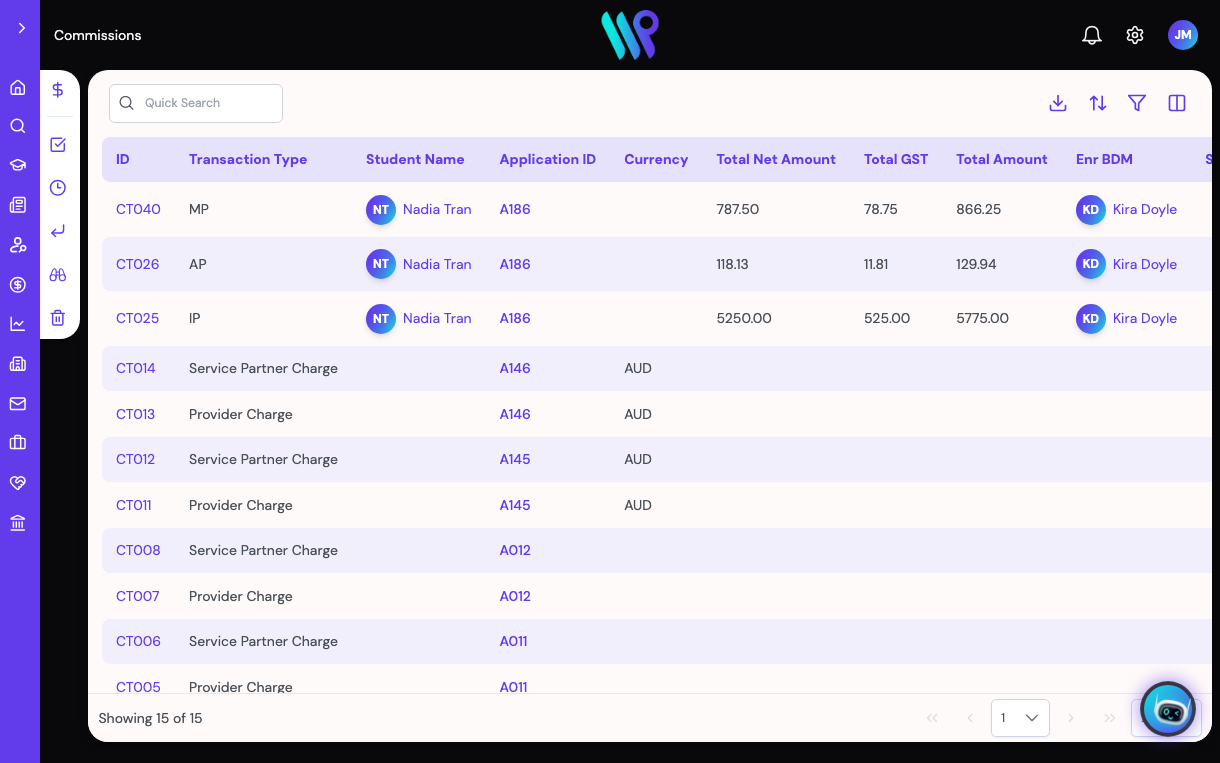
Most CRMs stop when the student enrols. Stop manually chasing institution payments and reconciling spreadsheets against census dates: World Ready automates your upstream university invoicing and instantly calculates downstream 60–80% agent splits. Pay your network faster, and they stick with you.
- Each party's charge generated the moment an application matches an agreement
- Transactions flow Ready to Invoice → Ready for Payment → Paid, straight into Xero
- Cross-currency work on in-platform FX rates
What the platform does. All of it documented.
Eleven capabilities, in the order your business runs them. Under every section is the path to the help documentation that backs it — the same pages the in-app assistant answers from.
Recruit: from first enquiry to a student record
Every enquiry lands with its notes, documents, and contacts attached — and when it converts, attribution survives: the lead keeps its Converted chip, the student carries the backlink. Nobody argues about whose enquiry it was. Conversion is one-way, and History records who changed what, when.
- Filters, a column picker, and CSV export on the core lists
- Notes, Documents, and Contacts panels on each record
- Read-only History: who changed what, when, previous and new values
Find the course: three ways in, one filter set
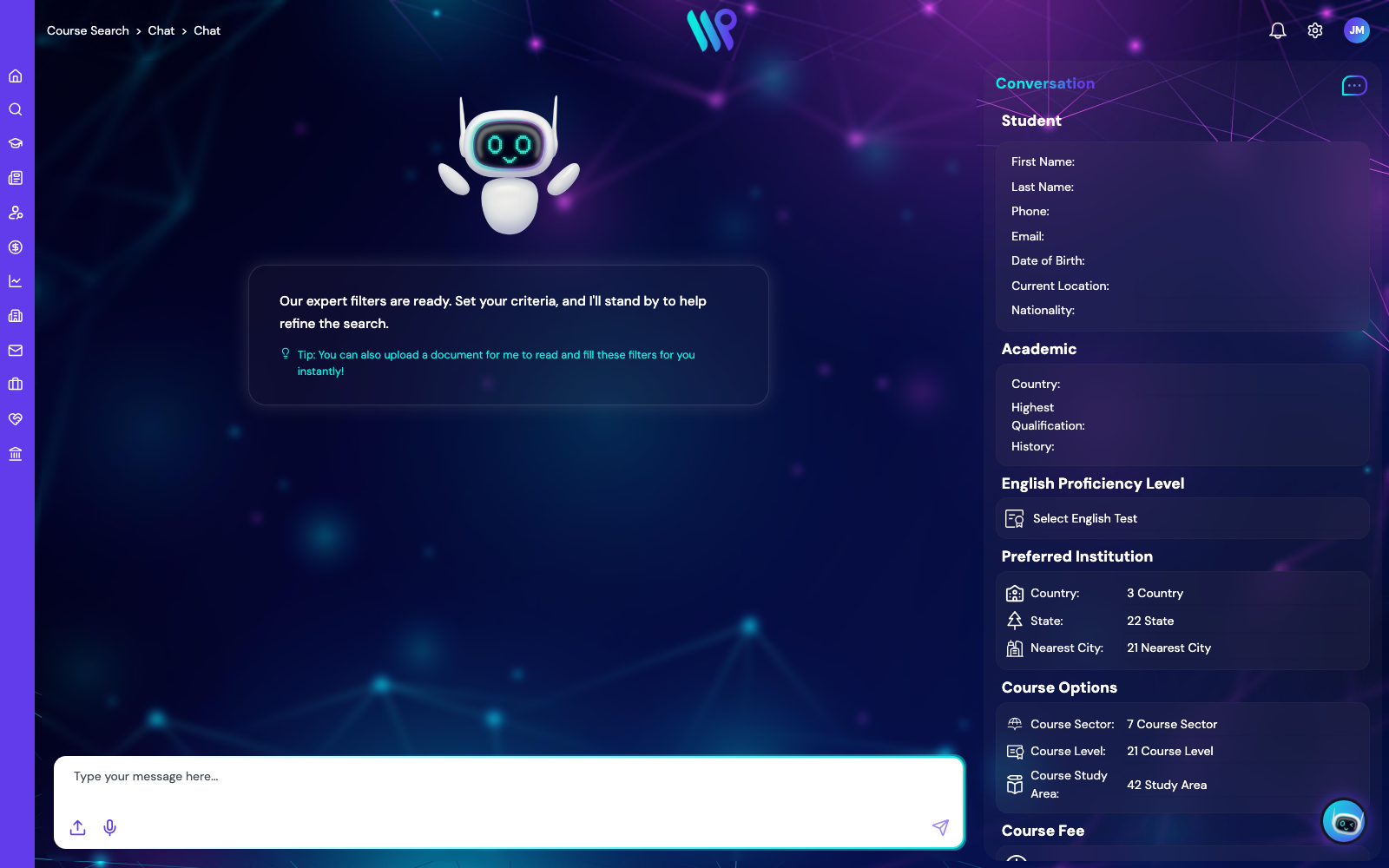
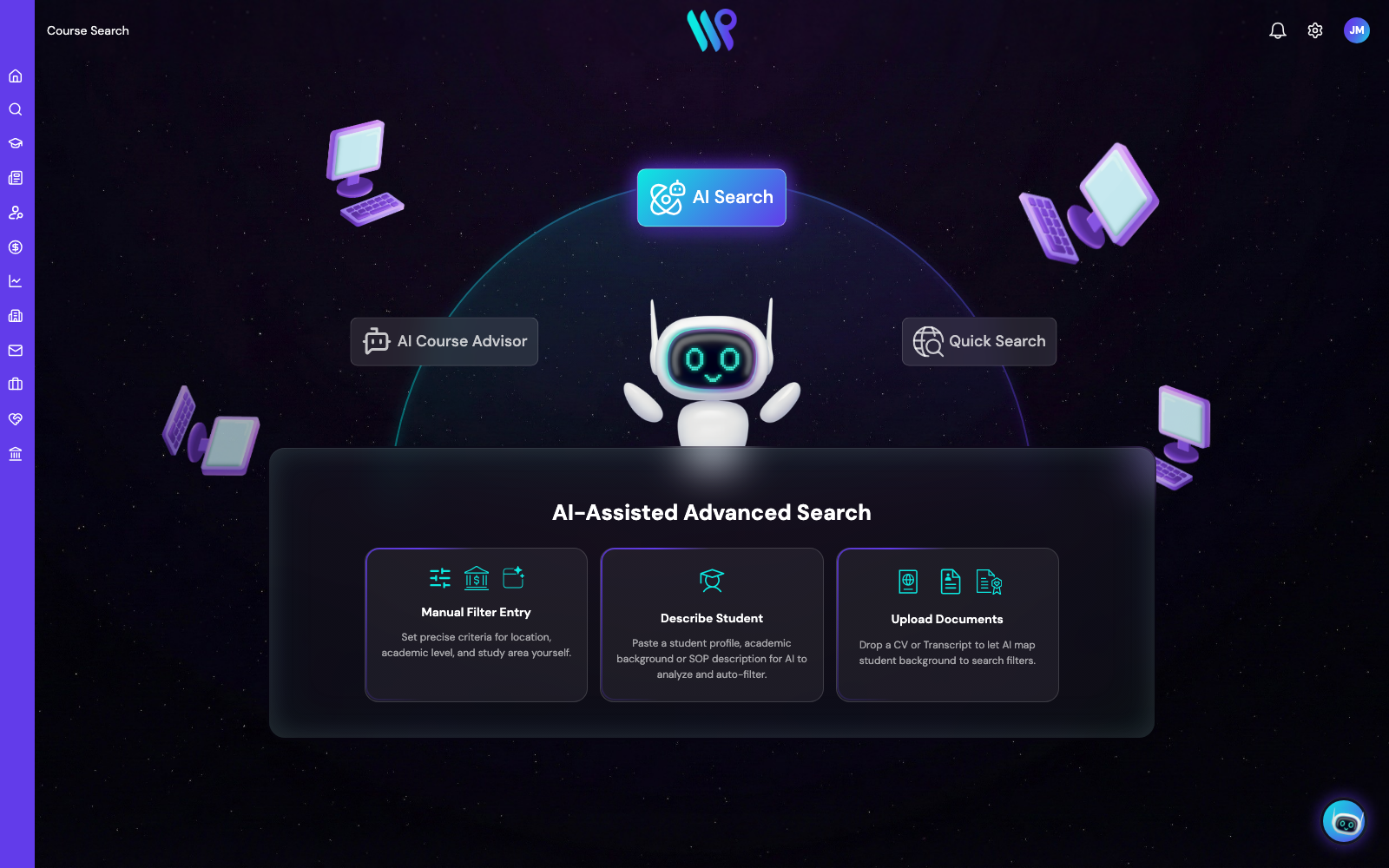
Quick Search is two fields — What? and Where?. AI Search maps a typed student description or an uploaded CV, passport, or transcript onto the full filter set, then runs the search. AI Course Advisor is the consultative mode: pathway strategy, live % match, in a chat that thinks the student's situation through with you.
- Compare courses side by side; map view of campuses
- Shortlist a course to a student or lead; apply straight from results
- Eligibility and territory rules applied in the results, not after
Process: the engagement, structured
An Enrolment groups everything for one student at one institution. An Application is a single course attempt inside it. Each application progresses through staged statuses, and every status maps to one of four modes — Not Started, In Progress, and the terminal two, Won and Loss. The Progress action is how it moves. No freeform stages, no two teams using the same column differently.
- Create a student, enrolment, and application in one wizard pass
- Status reasons captured on terminal and declined statuses
- Cases attach to the records they concern; auto-creation rules optional
Get paid: the engine that refuses to guess
Commission lives with the application from the day it's created — the engine generates each party's charge as estimates the moment an application matches a Commission Agreement on commencement date, campus, and sector, then matures them through the lifecycle as the application progresses. Institution Charge, Master Agency Charge, Service Partner Charge — separate records, own transactions per billing period, children of the application.
- Master agency share deducted first — the deliberate hierarchy choice
- Counsellors track their own earnings without seeing company-wide data
- Transactions move through a finance workflow — Ready to Invoice, Ready for Payment, Paid — tied to application status
- Direct Xero integration on transactions — commission accounting lands in your ledger, not a spreadsheet
- Currency FX rates maintained in-platform for cross-currency work
Run the network: hierarchy as a first-class record
Master Agency → Agency Company → Branch → Counsellor isn't an org chart in a slide — it's the data model. Invite an agency and it registers self-serve — the company, a default branch, and the admin's counsellor record are created automatically; the full workspace unlocks when you approve it. Commission shares, data scope, and administration follow the same hierarchy.
- Agency invitation workflow; limited access until your team approves
- Branches and counsellors managed inside each company
- My Company gives every agency its own record to maintain
Partnerships: two records, deliberately
The institution itself — its courses, campuses, intakes, and territory rules (which student-origin countries it accepts). Read-mostly, one record per institution.
Your organisation's contract with that institution — the commission agreements, the workflow, the cases. The Institution holds the courses; the Institution Partner holds the contract.
(Running the platform as an institution? Then you are the institution — your organisation works the agency side of these records, and your own catalogue is maintained by your team through the data-collection workflow.)
The course data arrives maintained.
World Ready operates a structured course database at the platform root, kept current under the Course Data subscription. Institutions — with their campuses, courses, intakes, and fees — are assigned to your organisation from that database. You link them to your Institution Partner records and run the onboarding; when a partnership reaches Won, the institution and its courses appear in your Course Search for everyone your permissions let in. The gate is literal: no Won status, no courses. Your team doesn't re-key a catalogue — it links one.
- Institutions linked to your organisation at platform level; their course data becomes available to your tenant
- Course Search shows an institution only with an active winning partnership — and only where territory allows
- Institution organisations keep full rights over their own campus and course records
Processes: designed to match your team, not ours
Every record type runs on a named process — and you can define several, so your global and regional teams each own their own. Assignment rules triage automatically: an application's sales region, institution country, and onshore/offshore status land it in the right team's process and the right officer's queue. Case types get the same treatment, and your agencies progress through their own organisation-configurable lifecycle. All of it is configured in Admin Center — changing your admission workflow is a settings change, not a change request.
Workflow: cases where the work is
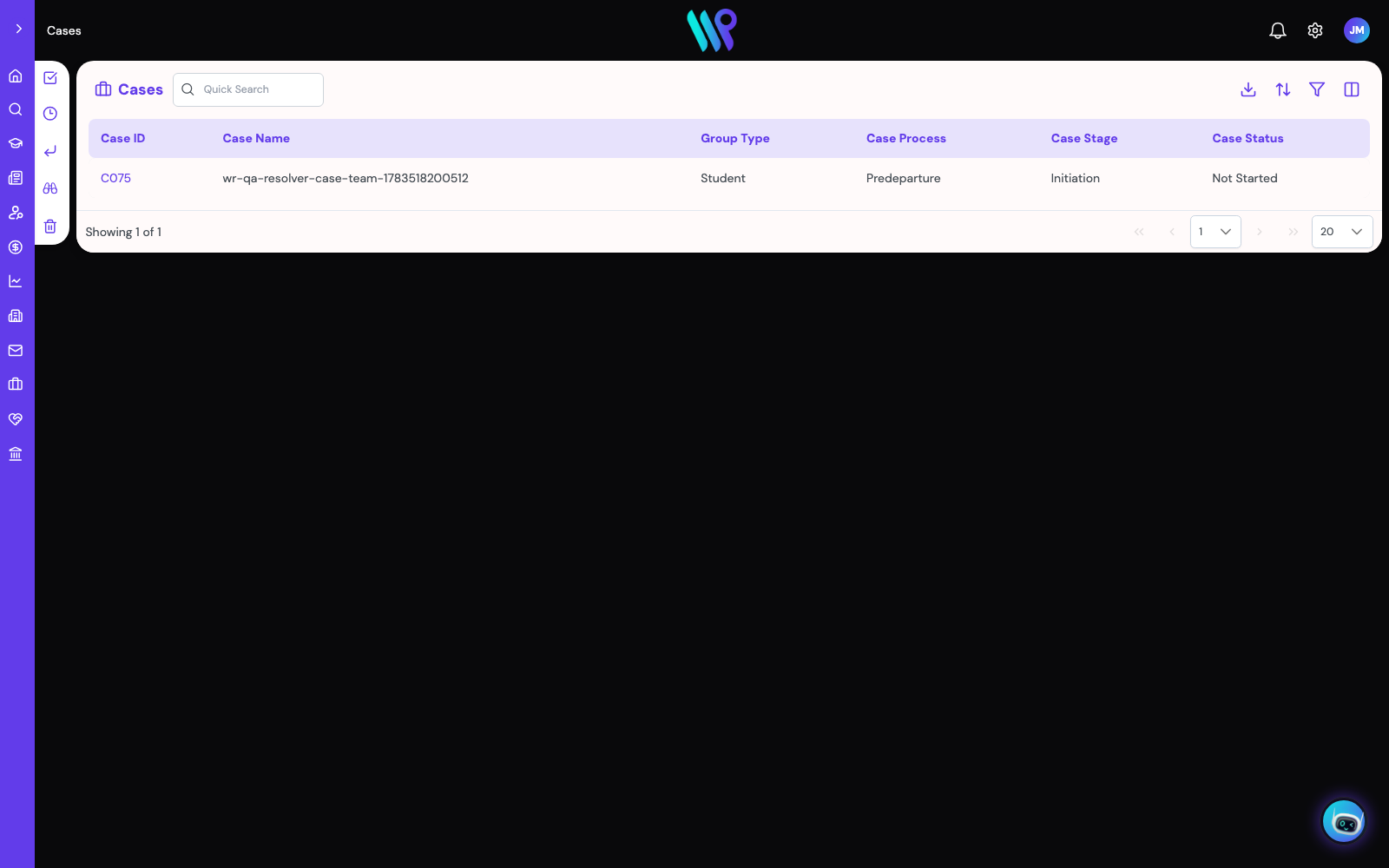
Visa runs, deferrals, complaints, follow-ups — everything that isn't an application gets a case, attached to the record it concerns, raised automatically on the events you define, and routed to the right team by assignment rules. Notification triggers keep the right people informed — all configured, not coded.
- Case comments with categories; watchers on any record
- Process assignment rules per record type
- Notification and email templates managed in Admin Center
Reporting: your numbers, your layout
Build dashboards from widgets, clone the ones that work, set a default per user. The core lists export to CSV with your current filter and visible columns — reporting starts in the module, not in a separate tool.
Control: the master toggle matrix
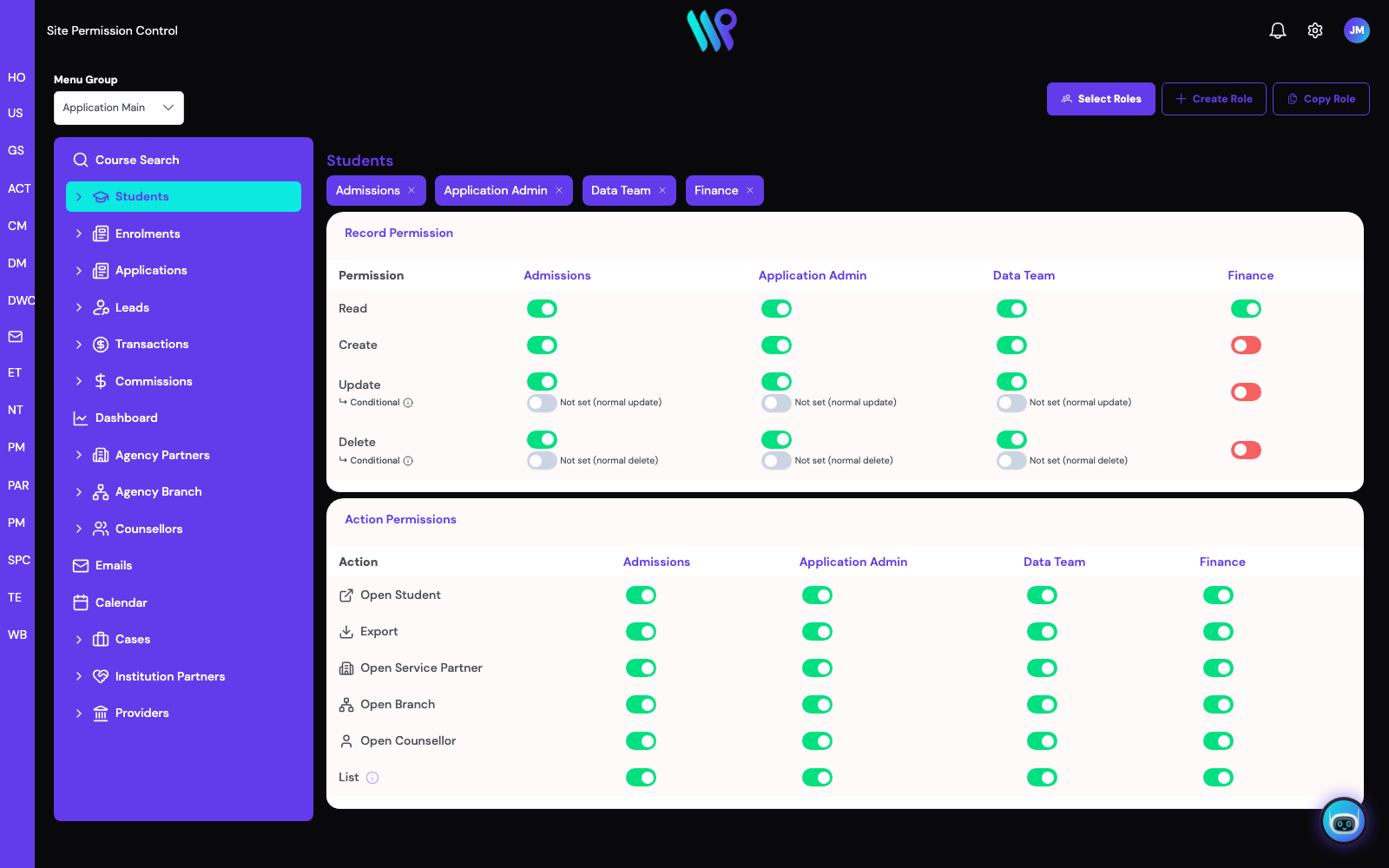
Site Permission Control is one page: roles as columns, permissions as rows, per menu. Eighteen documented roles ship with the platform — from Counsellor (the most tightly scoped agency role) to App Admin. Permission says what a role can do; data scope says which records it sees. Almost every "I can't see X" question routes back to this page — which is exactly what an administrator wants.
- Conditional and assignment-based permissions for edge cases
- Per-role commission visibility, separately gated
- History panel keeps the audit trail on every record
Your brand, your domain, your system.
Logo, colours, fonts, imagery, the assistant's own name and avatar — configured per organisation, with a sign-in page themed for you and your own domain, so the platform reads as part of your website. Your agents and your team sign in to you.
Custom objects: when our schema isn't your schema
The standard records cover the recruitment chain; custom objects cover everything else your operation tracks — defined in Admin Center, permissioned like any other record. Configurable like a Salesforce org, without the consulting invoice.
Outlook and Gmail, inside the system
The integrated email client handles inbound and outbound mail and threads every message onto the record it belongs to — student, application, enrolment, agency, partnership, case. One system holds the work and the conversation about it.
Configured, not customised
The wizard builder, picklists, email and notification templates, quick-search field configuration, and data-migration tooling — the platform adapts in Admin Center, without a services invoice. See pricing for what sits in which tier.
The assistant answers from these same pages
The in-app assistant retrieves from the platform's help documentation — the pages cited across this site — and walks users through enquiries in context. Ask it why a commission didn't generate; it knows the gates.
See the platform in action.
Bring your agency hierarchy, your commission structure, and your source markets — we'll run them through the loop live.
Book a walkthrough